
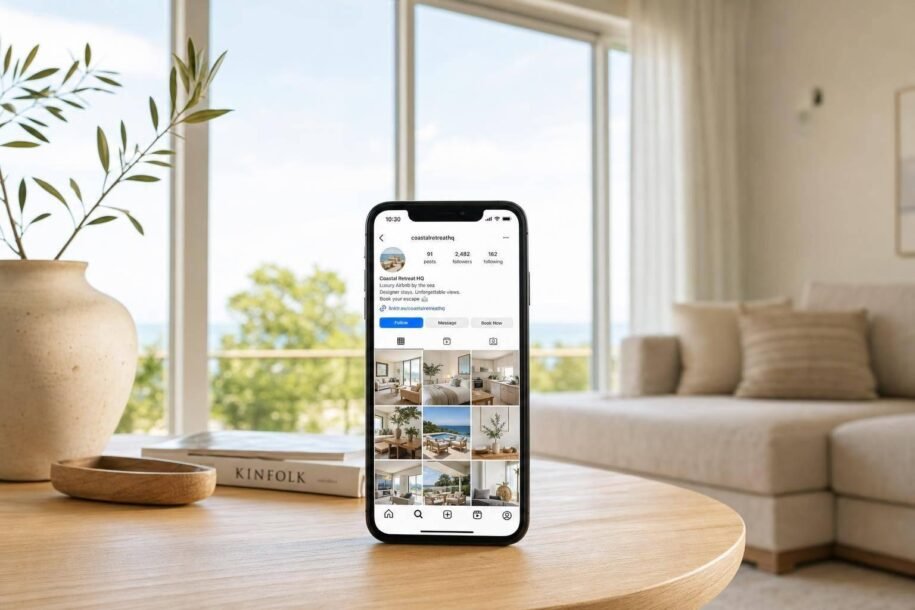
Instagram can help turn travel scrolling into bookings. In this guide, I show that the basic plan is simple: set up a booking-ready profile, post clear photos and short Reels, use Stories and local tags to help people find your place, and keep a simple posting routine.
A few numbers make the case fast:
- 35% of consumers use social media for travel inspiration
- 75% of travelers say social platforms affect where they stay
- Reels can reach non-followers at 4.2x the rate of static posts
- Rental posts with guest content can get 38% higher engagement
- Places with active Instagram marketing can see a 37% higher booking rate
If I wanted the shortest version, it would be this:
- Make your profile searchable
- Link straight to your Airbnb listing
- Show the stay clearly with photos and walkthrough Reels
- Post local, time-sensitive updates in Stories
- Batch content so posting does not stop after one week
This is less about chasing likes and more about making it easy for someone to go from “this looks nice” to “I’m ready to book.”
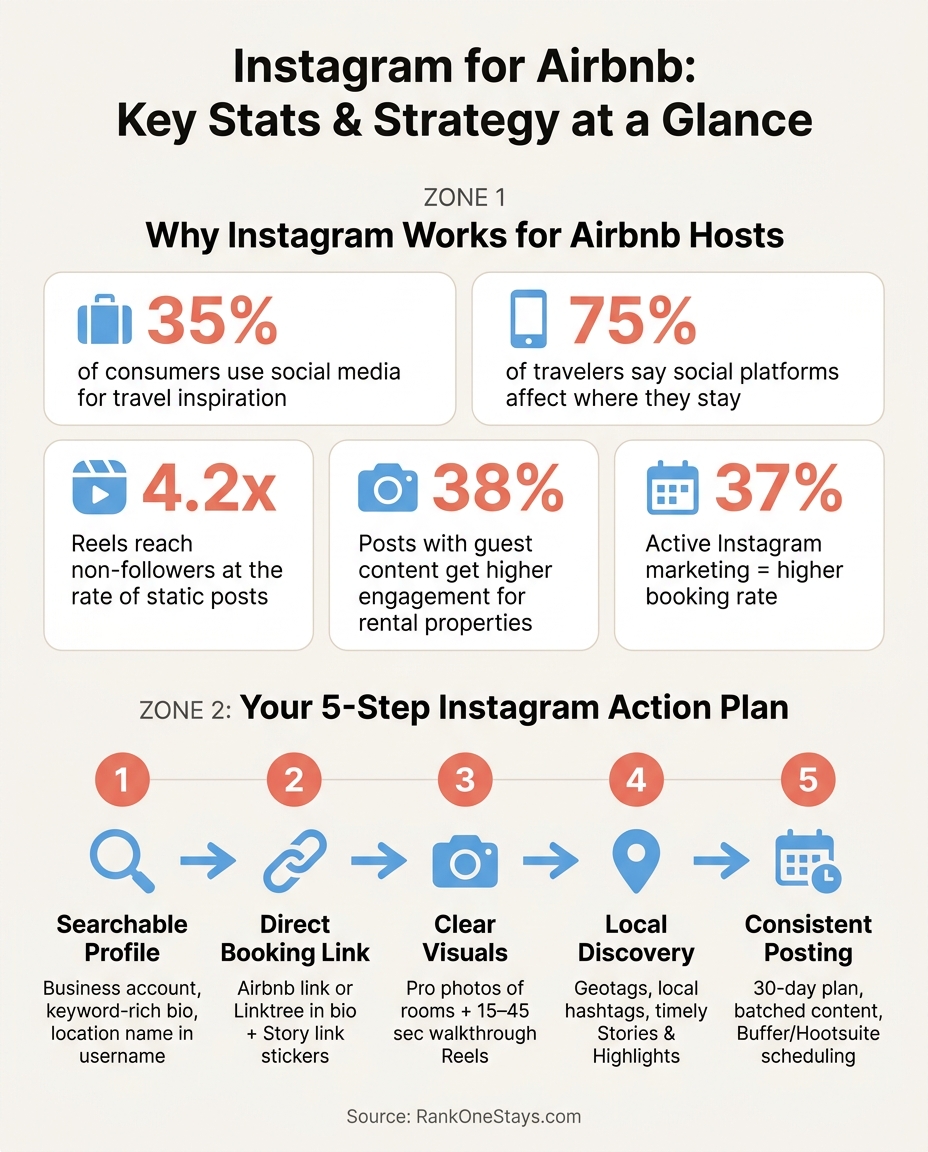
Instagram for Airbnb: Key Stats & Strategy at a Glance
How to Promote Your Airbnb on Instagram (Step by Step)
Set up an Instagram profile that supports bookings
Before you post anything, get your profile ready to turn visitors into guests. Switch to a Business or Creator account, then pick a category like Vacation Home Rental or Hotel & Lodging. That gives you access to Insights, ad tools, and a Contact button so guests can reach you by email or phone [7][8].
Choose a property-specific account name and bio
Use a dedicated account for the property so your branding stays clear and your analytics stay focused. For your username, pick a name that connects the property to its location, like @TheCozyCabinJoshuaTree or @LakeTahoeGetaway. In the Name field, add search terms people might type into Instagram, such as "Lake Tahoe Airbnb" or "Scottsdale Desert Rental", instead of repeating your handle [8].
Your 150-character bio should cover the basics fast. Include the city, sleep count, parking, top amenities, and how close the place is to a local landmark. For example: "Modern cabin in Asheville, NC. Sleeps 6. Hot tub. 2 miles from downtown." Stick with miles for distance. Then end with a clear CTA like "Book below 👇" or "Reserve now" [7][8].
Place the Airbnb link where visitors can act on it
Use your one profile link with purpose. The simplest move is linking straight to your Airbnb listing. If you want to give people more than one option, a link-in-bio tool like Linktree or Stan.store can point them to booking, reviews, and seasonal offers [8][9].
You can also go past the bio link. Use link stickers in Stories to send viewers to specific dates or seasonal offers when timing matters [5][4].
Make sure the listing is ready before driving traffic
Before you send Instagram traffic to Airbnb, make sure the listing can do its job. It should already have professional photos, clear USD pricing, and clean staging [7][8].
If you want help getting that page into shape, Rank One Stays can handle staging, photography, and listing optimization.
Once the profile is live, start filling it with photos and Reels that show the stay clearly.
Post photos and Reels that show the stay clearly
Once your profile can send people to the listing, the next job is simple: fill it with visuals that answer a guest’s main questions FAST. The goal isn’t perfection. It’s clarity. Guests want to know what the place looks like, how it feels, and whether it matches what they have in mind.
Photograph the spaces and amenities guests care about
Start with the outside. Show the home’s exterior, the curb appeal, and any outdoor features like a pool, patio, or fire pit. That first image helps people get a feel for the property right away.
Then move through the inside in a way that makes sense to a guest:
- Bedroom
- Kitchen
- Living room
- Bathroom
Use natural light when you can. Keep your lines straight. And stage each space the way a guest would actually see it during a stay. Don’t push the edits too far. People notice when photos look better than the place itself, and that mismatch can lead to disappointment the moment they walk in.
Close-up shots matter too. Wide room photos show layout, but detail shots help people picture the stay. A shot of soft bedding, a coffee setup on the counter, or a hot tub glowing at night can tell a small story that a full-room image can’t.
Use Reels to show walkthroughs and nearby experiences
After photos, use Reels to show motion, flow, and the area around the stay. Reels reach non-followers at 4.2 times the rate of static posts [9], which makes them a strong way to get in front of travelers who haven’t found you yet.
One of the best clips you can post is a short walkthrough. Keep it between 15 and 45 seconds. Start at the front door and show exactly what a guest sees when they arrive [1][8]. You don’t need a fancy setup. A phone is enough. In fact, natural-looking videos often feel more trustworthy and do better with travelers.
Reels can also sell the trip, not just the property. Posts tied to nearby experiences often get more saves and shares. For example, a clip that shows a weekend plan – morning coffee on the deck, an afternoon hike, dinner at a local spot – gives people a reason to bookmark it for later. In many cases, saves and shares are a better sign of booking intent than likes.
Keep a consistent visual theme across the grid
A steady visual style makes your profile easier to scan and more polished at a glance. Pick one editing approach and stick with it. That can mean the same brightness, similar color tones, and similar framing across posts.
Keep edits light and even. Do the same in Stories and Highlights so the whole profile feels connected instead of pieced together.
If the property looks a little tired on camera, stage it before you shoot.
sbb-itb-103bddb
Use Stories, Highlights, hashtags, and geotags for local discovery
Stories, Highlights, hashtags, and geotags help keep your listing in front of people between feed posts. They also help travelers find your place while they’re researching where to stay. Over 60% of travelers now start trip planning on social media instead of booking platforms [6].
That matters because people often browse a destination long before they book. If your profile stays active, your property has more chances to show up during that research phase.
Share timely updates through Stories and save the best ones to Highlights
Stories work best for time-sensitive updates. If you have a last-minute opening, post it with U.S.-style dates like “Open July 10–12” and include the nightly rate in USD. Add a Link sticker that sends people straight to your booking page to drive profile taps and booking clicks.
Stories also work well for things like:
When a Story performs well, save it to Highlights. Group Highlights into clear buckets so people can find what they need fast. Good options include Tour, Amenities, Local Guide, Reviews, and House Rules.
That way, Highlights can answer common questions before someone sends a DM.
Add local hashtags and geotags that match how guests search
Search now leans on both text and location signals. Instagram indexes caption text and on-screen Reel text, so write captions that include the terms guests are likely to use. Stick to a small number of relevant hashtags [1][4].
Use hashtags that match the place, the stay, and the type of trip. For example, you might use location tags like #EllijayGA and amenity tags like #petfriendly.
Use geotags in the same way. Tag the exact neighborhood or city so your post can appear in location-based searches. You can also tag nearby businesses when that gives helpful local context.
DIY content prep vs. professional listing support
The hard part isn’t setting this up once. It’s keeping these signals active every week.
If you manage one property, you can probably handle it by hand. But if you’re a remote owner or run more than one listing, you’ll usually need a simple system you can repeat. Rank One Stays handles listing optimization, visuals, and posting support, so your Instagram can stay consistent without adding more to your day.
Once the profile is active, batch content and posting tasks into a simple weekly routine.
Build a repeatable Instagram workflow for first-time and remote owners
Once your profile and content basics are live, the next job is simple: post on a steady schedule.
Start with a simple 30-day plan for first-time hosts
Use your first 30 days to build rhythm, not chase reach. The point here isn’t to go viral. It’s to make posting feel normal and easy to keep up.
Break the month into three phases:
- Days 1–5: Publish the finished profile and make sure the link works.
- Days 6–15: Post your best room photos, one property tour Reel, and key Highlights.
- Days 16–30: Rotate in local content, Story updates, and guest proof. [2][3][4]
This flow takes you from simply showing up to helping more people find your place and book.
Use batching and local support if you manage from out of state
If you manage from out of state, posting every week without a system usually falls apart fast. A better move is to batch content during one turnover visit. Film 5+ short Reels that show off your top amenities, the view, and what arrival feels like. Then schedule them ahead of time with tools like Buffer or Hootsuite. [1][7]
Between visits, ask your cleaner or a local contact to send quick clips of seasonal shifts or behind-the-scenes updates. That could be a snowy driveway, a patio setup, or a quick refresh before check-in. Small updates like that help the account feel active.
Posts that show real guest experiences get 38% higher engagement for rental properties, so it’s smart to ask guests to tag your property and repost their content when it matches your visual style. [3][8][7]
Self-management vs. full-service support for owners looking to scale
Managing Instagram for one listing is possible. But once you’re juggling guest messages, housekeeping, and pricing across more than one property, posting is often the first thing to fall off.
At that stage, it may make sense to hand off the content side. Rank One Stays offers full-service vacation rental management, including listing optimization, professional photography, dynamic pricing, and 24/7 guest support, so your Instagram can stay active without turning into a second job.
Conclusion: Keep Instagram simple, visual, and tied to the booking path
Instagram works best when each post nudges guests one step closer to booking. That means a profile people can search, a direct link they can click, clear photos, and local discovery features that help your property show up in the right places. That’s how attention turns into bookings.
Properties with active Instagram marketing see a 37% higher booking rate than those without.[7] And in practice, a simple workflow usually matters more than any one post. Keep posting on a steady schedule and make the next step obvious – whether you’re using a 30-day plan as a first-time host or batching content as a remote owner.
If staying consistent feels like a chore, Rank One Stays can take care of listing optimization, photography, guest support, and housekeeping while the day-to-day work runs in the background.
FAQs
How often should I post on Instagram to promote my Airbnb?
Focus on consistency over volume. A pace you can stick with is usually 3 to 5 posts or Reels per week, plus daily Instagram Stories to stay visible and keep potential guests engaged.
The key is picking a schedule you can keep up for the long haul. Posting on a steady rhythm helps build trust and keeps your property in front of people while they’re deciding where to book.
What kind of Instagram content leads to more bookings?
Use Instagram for two jobs at once: help people find your property and help them book it.
Reels are great for showing off the moments that make a place feel special. Think a hot tub glowing at night, a deck with a mountain view, or that first cup of coffee at sunrise. Short videos like these stop the scroll fast.
Then come the posts built to drive bookings. These should be direct and useful. Mention:
- open dates
- nearby attractions
- a clear call to action through your bio link
Stories are a good fit for last-minute openings and easy link-sharing. They feel timely, which makes them perfect when you want to fill dates without a lot of fuss.
Guest reviews and user-generated content help build trust. A polished photo is nice, but a happy guest saying they loved the stay often does more heavy lifting. Local recommendations help too. When you share favorite coffee spots, hiking trails, or can’t-miss things to do nearby, your property stays top-of-mind and feels tied to a place people want to visit.
Can I manage Instagram promotion if I own my Airbnb remotely?
Yes – you can manage Instagram promotion for a remote Airbnb without being at the property.
Use Meta Business Suite to schedule posts and Reels ahead of time, so your property stays visible even when you’re not posting day to day.
If you want extra help, Rank One Stays can take care of listing optimization, 24/7 guest support, and interior design to help keep your property performing at a high level.