
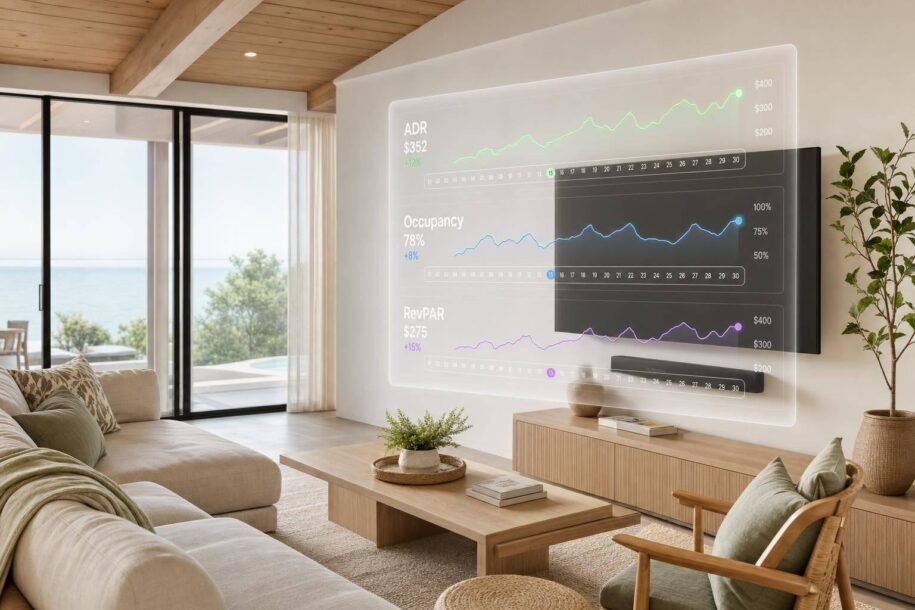
ADR tells you what you earned per booked night, not whether your pricing made the most money. If I want to judge dynamic pricing the right way, I need to look at ADR, occupancy, and RevPAR together.
Here’s the short version:
- ADR = room revenue ÷ occupied nights
- Dynamic pricing software tracks ADR from reservation data like nightly rate, stay dates, booking date, and channel
- It then updates future prices using signals like booking pace, lead time, seasonality, local events, comp pricing, and remaining open nights
- A high ADR can still mean weak results if too many nights stay empty
- A lower ADR can still win if it fills more nights and lifts total revenue
- The best way I read pricing results is by checking rate, fill, and revenue side by side
- Weak pricing usually shows up in two ways:
- Underpriced nights: high occupancy, fast pickup, ADR below similar listings
- Overpriced nights: ADR above market, low occupancy, weak RevPAR
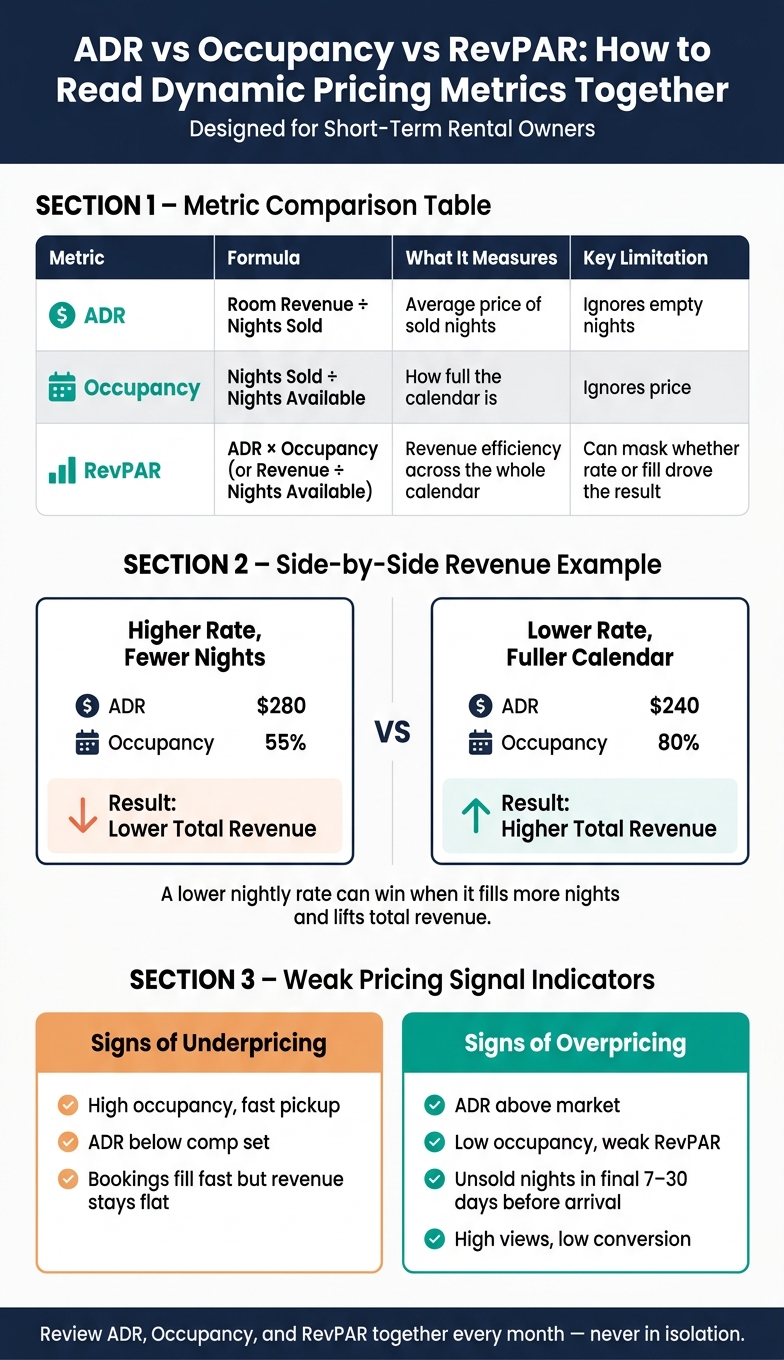
A simple example makes this clear. If a rental posts a $280 ADR at 55% occupancy, it may earn less than a month with a $240 ADR at 80% occupancy. The nightly rate is lower, but the calendar works harder.
So when I review ADR, I don’t treat it like a trophy number. I treat it like a pricing check. I want to know:
- Did the software move rates at the right time?
- Did those changes help book more nights at the right price?
- Did total revenue per available night improve?
That’s the lens I’d use to read any ADR dashboard for markets like Pittsburgh or Scottsdale.
What Is ADR in Airbnb? How to Calculate & Increase Your Average Daily Rate
sbb-itb-103bddb
How Dynamic Pricing Software Calculates and Updates ADR
Dynamic pricing software pulls booked ADR from PMS and OTA reservation data, then sends new nightly rates back to your listings through API sync. It looks at booked ADR from completed and confirmed stays and uses that information to adjust future rates on its own.
What Data the Software Uses to Calculate ADR
The engine calculates booked ADR using reservation-level data, including nightly rate, stay dates, booking date, and channel. Some platforms also display net ADR after commissions and fees, and that number can look very different from gross ADR when host fees are high. [1][3][4][6][7][10]
Most pricing dashboards show ADR, occupancy, and RevPAR side by side for single listings or a full portfolio. You can usually filter that view by channel or market. [2][4][5][8][9]
How Base Price, Floors, and Ceilings Affect Future ADR
Every dynamic pricing tool begins with a base price and then applies a minimum floor and a maximum ceiling. Seasonal changes and date-level rules sit on top of those settings to move rates within that range. [12]
The floor helps protect ADR during slow periods. For example, it can hold at $160 through a Scottsdale shoulder-season week instead of dropping to $110. A ceiling that’s set too low limits upside during peak demand. If spring training could move ADR from $180 to $260+, a low ceiling cuts that gain short. It makes sense to review these settings at least quarterly so they still match your costs and market conditions. [12]
With those guardrails in place, demand signals decide when prices move.
Which Demand Signals Cause Nightly Rate Changes
The pricing engine tracks several signals at the same time. Booking pace is one of the strongest. If a date is selling faster than usual, the software increases the rate on the nights that are still open. Lead time also matters. Many tools keep prices higher until a set threshold, often 7 to 10 days out, and then lower rates step by step if nights are still unsold. [8][9][10][11]
Local events and market compression tend to drive the biggest ADR swings. In Pittsburgh, a Steelers home game weekend can push a downtown apartment’s ADR from about $150 to $280 as inventory tightens. In Scottsdale, a peak event run like spring training followed by a major golf tournament can move a townhouse from $190 to $300+ if floors and ceilings are broad enough to let the algorithm react. Past demand patterns help refine future recommendations. Comp-set moves also shape rates, helping your ADR move with the market instead of falling behind. [10][13]
Those pricing shifts then show up in ADR, occupancy, and revenue dashboards, where owners can check whether the pricing did its job.
How to Read ADR Dashboards Without Guessing
ADR vs Occupancy vs RevPAR: How to Read Dynamic Pricing Metrics Together
Once rates change, dashboards help you check what happened next. Did ADR, occupancy, and revenue all move in the right direction, or did one improve while another slipped?
Where ADR Shows Up in Pricing and Channel Dashboards
ADR rarely sits in one neat spot. In most systems, you’ll see it across four screens: your property performance view, portfolio analytics, market dashboard, and channel-specific reports.
That sounds simple enough, but here’s where people get tripped up: the number can change based on the filter. One screen may show a single listing. Another may show a portfolio average. Another may show a market-level figure. So before you compare anything, make sure you’re looking at the same scope on both sides.
Start with the dashboard tied to the choice you’re trying to make. Channel dashboards often let you filter by property and date range, then show earnings, nights booked, and average stay length. Some tools also break ADR out by property, by channel, or by date range. Read the label closely before you line up numbers.
How to Compare ADR Against Occupancy and Revenue
ADR matters, but it doesn’t tell the whole story by itself. You need to read it next to occupancy and RevPAR.
For example, a property with an ADR of $280 in March and 55% occupancy may have brought in less total revenue than a month with an ADR of $240 and 80% occupancy. On paper, the higher nightly rate looks better. In practice, the fuller calendar may win.
The table below shows what each metric tells you – and what it misses on its own:
| Metric | Formula | What It Measures | Key Limitation |
|---|---|---|---|
| ADR | Room revenue ÷ nights sold | Average price of sold nights | Ignores empty nights |
| Occupancy | Nights sold ÷ nights available | How full the calendar is | Ignores price |
| RevPAR | ADR × occupancy, or revenue ÷ nights available | Revenue efficiency across the whole calendar | Can mask whether rate or fill drove the result |
Put simply:
- Occupancy shows fill
- ADR shows price
- RevPAR shows the revenue result
Watch for properties with high ADR but weak RevPAR. That’s often a sign the nightly rate is strong, but too many nights are still sitting empty.
How to Read Trend Lines, Booking Curves, and Market Benchmarks
Monthly ADR trend charts show whether your average nightly rate is steady, moving up, or slipping over time. A healthy pattern often means rates stay firm or move higher as stay dates get closer, especially when demand is strong.
If ADR falls hard near arrival dates, the software may have cut prices too much or waited too long to react to weak pickup.
After you look at the current snapshot, move to the trend. A booking curve shows pickup as the arrival date gets closer. If that curve is running below its usual pace, the software may need to lower rates sooner to fill the calendar. If it’s running above pace, the algorithm may be pricing too low early on and missing extra revenue later. In plain English: if bookings are coming in faster than normal, there may be room to charge more.
When you notice a sudden shift in the curve, zoom in on the exact nights sold, the number of reservations, and the dollar amounts for that window. A monthly average can smooth over the very thing you need to see.
For benchmarking, compare your listing’s ADR with your true comp set – similar homes nearby with a similar bedroom count, amenities, and location. Don’t lean on a citywide average. That’s too broad to say much.
If market ADR is rising while your listing’s rate stays flat or drops, your pricing plan may be lagging. If your ADR sits well above the market but occupancy is falling apart, the rate is likely too high. Those are the kinds of signals that help you catch weak pricing calls before they start eating into revenue.
How to Find and Fix Weak Rate Decisions
Once you know how to read the dashboard, the next step is simple: look for nights where your rate, occupancy, and revenue don’t line up.
The best way to spot weak pricing calls fast is to look at ADR, occupancy, and RevPAR together. One number on its own can fool you. But when you view all three side by side, patterns start to jump out. Then check whether your rate, fill, and revenue make sense for the season and the booking window.
How to Find Underpriced Nights
The clearest sign of underpricing is pretty straightforward: occupancy is high, booking pace is strong, but ADR is below your comp set.
If your calendar fills fast and your rates stay flat even as demand goes up, your pricing rules are probably too loose. That’s often the moment when owners realize they booked plenty of nights but didn’t make as much as they could have.
A good place to start is your trailing 30-, 60-, and 90-day ADR against your comp set. If your occupancy matches or beats the market while your ADR sits lower, you likely left money on the table.
Another red flag is a discount that boosts occupancy but does little for total revenue. More booked nights may look good at first glance, but if revenue doesn’t move with them, the rate likely dropped too far.
How to Find Overpriced Nights
Overpriced nights tend to show the reverse pattern.
Your ADR is above the market, but occupancy falls behind and RevPAR stays weak because too many nights remain unbooked. In plain terms, the rate looks strong on paper, but the empty nights drag down revenue.
Watch dates inside the final 7, 14, and 30 days before arrival. Unsold nights in those windows often point to a rate that’s too high. At that stage, time is short, so missed bookings matter more.
If your listing is getting views but conversion stays low, that’s another clue. Guests may be interested, but they don’t see enough value at that price.
A Monthly Review Process Owners Can Repeat
Once you spot a pattern, stick to the same monthly review process each time. That keeps you from making random changes based on gut feel.
Pull these numbers for the prior period:
- ADR
- Occupancy
- RevPAR
- Total revenue
Then compare each one with the same month last year and with your local comp set. After that, flag any dates where ADR, occupancy, or pickup drifts from the rest of the calendar.
When you find a pricing issue, change one rule at a time. That could be your base price, your minimum price floor, or your last-minute discount. Then wait at least a week before making another change. If you tweak too many things at once, it’s hard to tell what actually worked.
If you manage more than one listing, use the same checklist across every property. That makes it much easier to spot which markets or date ranges keep falling behind.
When the same pricing issues keep coming back, Rank One Stays can manage dynamic pricing and revenue optimization for owners who want hands-off support.
Conclusion: Use ADR as a Decision Tool, Not a Vanity Metric
After you track rates, occupancy, and demand signals, the takeaway is pretty simple: ADR tells you your average rate per booked night. That’s helpful, but it only tells part of the story.
ADR shows rate, not booking volume or total revenue. So you need to read it alongside RevPAR and occupancy. When those numbers start moving in different directions, that’s your cue to take a closer look. And a lower ADR isn’t always a problem. If it helped fill more nights and pushed total revenue higher, it may have done its job.
That’s also why the software’s input signals matter just as much as the number you see at the end. Dynamic pricing software doesn’t aim at ADR by itself. It changes rates based on demand signals like booking pace, seasonality, local events, comp-set pricing, and remaining availability. Those inputs shape ADR over time. They also help explain why ADR goes up or down on your dashboard.
A single ADR number doesn’t say much on its own. A trend line, though, can say a lot more, especially when you compare it with your comp set, occupancy curve, and booking pace. That’s where regular dashboard checks and local market knowledge start to pay off. Use the dashboard to spot underpriced nights, overpriced nights, and rule changes that pushed rates the wrong way.
Key Takeaways for Pittsburgh and Scottsdale Owners
Put it all together with these four checks:
- Know the formula: Total room revenue divided by occupied nights.
- Track the signals: Booking pace, seasonality, events, and comp-set moves explain most rate changes.
- Compare in context: ADR only means much when you look at it next to occupancy and RevPAR.
- Review monthly: Flag underpriced and overpriced nights, then adjust one rule at a time.
In markets like Pittsburgh and Scottsdale, local seasonality plays a big role in how useful ADR is at any given time. For hands-off pricing and professional property management, Rank One Stays serves owners in Scottsdale, Denver, Pittsburgh, and Lighthouse Point.
FAQs
What’s the difference between ADR and RevPAR?
ADR (Average Daily Rate) is the average price paid for booked nights. You calculate it by dividing total rental revenue by nights sold.
RevPAN (Revenue Per Available Night) is total revenue divided by all available nights, including nights that stayed empty. ADR shows what you make on occupied nights. RevPAN shows the bigger picture because it reflects both your pricing and your occupancy.
How often should I review my pricing dashboard?
Review your pricing dashboard daily so you can keep pace with demand changes, local events, and shifts in the market. A quick check each day helps you see whether your pricing tool is reacting the way it should to booking pace and market movement.
If you’d rather stay hands-off, Rank One Stays can handle these daily pricing tasks and help keep your rates competitive.
How do I know if my rates are too high or too low?
Track your RevPAN – total revenue divided by available nights. It gives you a simple way to see whether your pricing is doing its job.
Here’s the idea: high occupancy with low RevPAN often means you’re filling the calendar, but at rates that are too low. On the flip side, high rates with low RevPAN can be a sign that you’ve priced yourself out of the market.
A simple rule of thumb helps here:
- If your listing books within 48 hours, your price may be too low.
- If you get no inquiries for 2 weeks, it may be too high.