
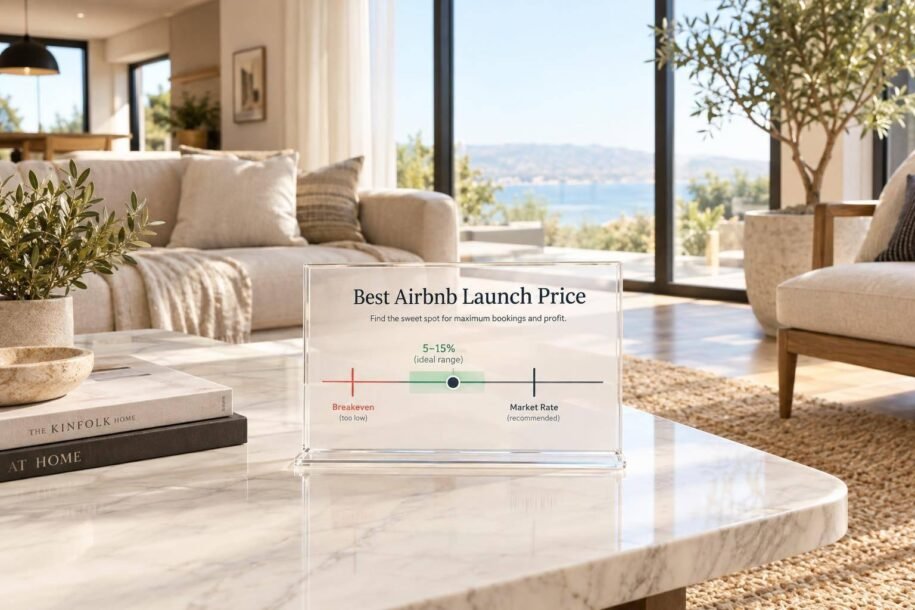
I recommend starting near the lower-middle of rates for 3–5 similar nearby listings – not at the lowest price. If you offer a launch discount, keep it around 5%–15% and never price below your breakeven rate.
Here’s the approach I’d use:
- Check the full price. Compare your guest’s checkout total with your payout after fees, cleaning, and other costs.
- Price dates separately. Account for weekdays, weekends, events, and local seasons – not just citywide averages.
- Choose one launch offer. Compare a standard rate, a modest discount, and Airbnb’s new-listing promotion. Check the promotion’s live terms before using it.
- Review results after about 2 weeks. Track bookings, revenue, and booking pace. Allow more time when demand is slow.
- Fix listing problems before cutting prices. Then test one change at a time on unbooked dates.
My rule: <u>use profit and booking data – not occupancy alone – to guide your next price</u>. If you hire help, check the fees, services, and reporting before signing.
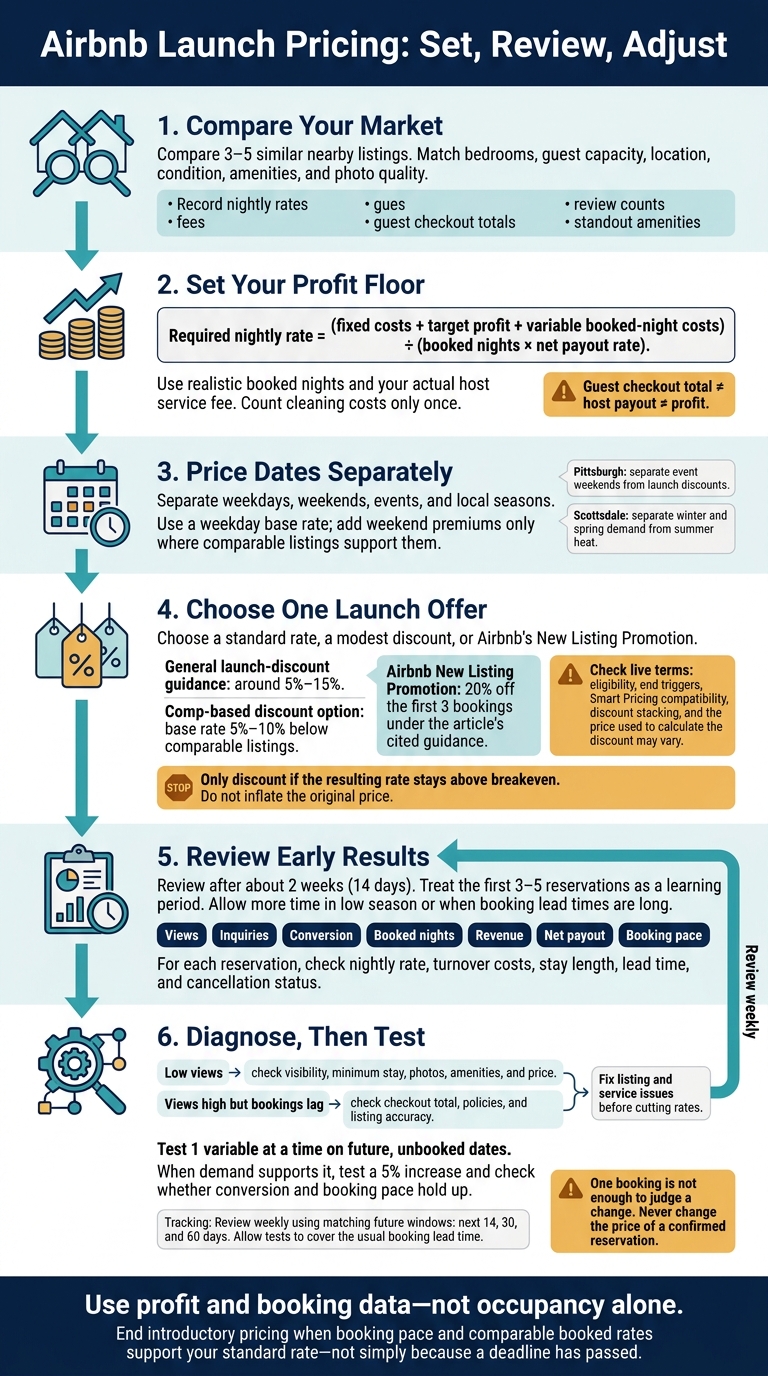
Airbnb Launch Pricing: Set, Review, Adjust
1. Set Your Starting Rate
Compare 3–5 Similar Nearby Listings
Find 3–5 active comparable listings in the same search area. Match bedroom count, guest capacity, location, condition, amenities, and photo quality. Record each listing’s nightly rate, fees, total guest price, review count, and standout amenities.[2][4]
Calculate Your Minimum Profitable Rate
Check market rates first, then work out your profit floor. Separate reservation costs – cleaning, supplies, laundry, host service fees, and booking-level taxes – from monthly expenses. Those include mortgage or rent, insurance, utilities, internet, licenses, software, and maintenance reserves.
Base your math on a realistic number of booked nights. Covering reservation costs is not profit.
Required nightly rate = (fixed costs + target profit + variable booked-night costs) ÷ (booked nights × net payout rate).[5]
Calculate the net payout rate using your actual host service fee, and count cleaning costs only once. Your guest’s checkout total, your host payout, and your profit are different numbers. A cleaning fee may only reimburse the cleaner. Taxes Airbnb collects and remits aren’t profit, and you shouldn’t deduct them a second time.
Preview your actual payout before publishing. If your required rate is above comparable prices, a launch discount will deepen the shortfall – not fix it.[2][3][5]
Set your starting rate at the higher of your comp-based rate and your breakeven rate.
Price Weekdays, Weekends, and Events Separately
Start with a weekday base rate. Add a weekend premium where comparable listings support it. For major events, holidays, and sold-out attractions, set prices for those specific dates rather than applying a blanket discount.[1][4]
Account for Pittsburgh and Scottsdale Demand
Pittsburgh: Factor in universities, hospitals, business districts, sports venues, parking, transit, and workspace.
Scottsdale: Treat winter and spring demand separately from summer heat. Factor in pool access, shade, A/C, outdoor space, and access to attractions.
Confirm licensing, occupancy limits, and taxes before setting prices. Use this baseline to test your launch price in the next section, then review results after two weeks.
sbb-itb-103bddb
2. Set Your Launch Offer and Review Date
Compare 3 Launch Pricing Options
Once you’ve set your base rate, pick one launch offer and a date to review it. Keep your breakeven rate as the floor. Only offer a discount if the discounted rate stays above it. Don’t inflate the original price to make the savings look bigger.
| Launch option | Likely booking speed | Reservation revenue | Review pace | Main pricing risk |
|---|---|---|---|---|
| Market-rate pricing | Depends on listing quality and demand | Highest rate per booked night | Potentially slower | No review history |
| Base rate 5%–10% below comparable listings | Often faster in price-sensitive markets | Lower rate; potentially higher occupancy | More early stays and feedback | Discount lasts too long |
| Airbnb New Listing Promotion | May improve visibility and conversion | 20% off the first 3 bookings under current guidance[2] | Encourages early stays and reviews | Eligibility, end triggers, and stacking rules vary |
Check Airbnb’s live terms before turning on the promotion. Current guidance lists 20% off the first 3 bookings, but the end trigger may differ by policy.[2][1] Confirm eligibility, compatibility with Smart Pricing, discount stacking rules, and which price Airbnb uses to calculate the discount. Reservations made with the offer keep their discount – even if you reach the review threshold before check-in.[1]
Review Each Booking and Check Results After 2 Weeks
For each early reservation, check the nightly rate, cleaning and turnover costs, stay length, lead time, and cancellation status. Treat the first 3–5 reservations as a learning period – not a commitment to keep discounting.
About 14 days after launch, review views, inquiries, conversion, booked nights, and how quickly future dates are filling. Give yourself more time during low season or when guests tend to book far ahead.
In Scottsdale, separate winter demand from launch pricing; in Pittsburgh, separate event weekends from your discount.
Increase Rates When Demand Supports It
Test a 5% increase on future, unbooked dates when several dates book faster than expected, popular weekends fill early, or completed stays earn strong reviews. Then check whether conversion and booking pace hold up.
End introductory pricing when the data supports your standard rate. Keep lower prices only where demand remains weak, and never change the price of a confirmed reservation.
Use these results to test one price change at a time in the next section.
Airbnb Pricing Strategy for Beginners (How to Set Your Nightly Rate)
3. Track Results and Test Price Changes
Once your launch price is live, review the data each week to decide what to change next.
Keep a Weekly Pricing and Booking Log
After the first 2 weeks, use weekly tracking to decide whether to hold rates, increase them, or lower them.
Set up a spreadsheet with one row per review week and columns for future booking windows, such as the next 14, 30, and 60 days. Track nightly rate, booked nights, occupancy, revenue, net payout, lead time, stay length, cancellations, views, inquiries, and conversion rate. Airbnb Insights groups performance data by conversion, occupancy, rates, and quality.[8]
Occupancy = booked nights ÷ nights intentionally offered for sale × 100. Exclude owner stays and maintenance blocks.[11] Compare matching future windows each week, keeping weekdays, weekends, seasonal periods, and event dates separate. Net revenue per available night matters more than occupancy alone.[9]
If performance drops, check the listing before changing the price.
Check Your Listing Before Cutting Prices
Low views? Check search visibility, minimum stay, photos, amenities, and price.[7] If views are high but bookings lag, review the guest-facing total, policies, and listing accuracy before cutting rates.[10]
Update the first five photos and confirm parking, bed arrangements, Wi-Fi, and check-in details. Read reviews and private feedback for repeated complaints about cleanliness, noise, location, accuracy, or value.[10] Fix service issues before cutting rates.
If the listing looks strong, test one price variable at a time.
Change 1 Variable and Record the Results
Choose one variable to test: nightly rate, weekend premium, minimum stay, last-minute discount, promotion, or cleaning fee. Apply the change only to weak dates. Record the change date, affected dates, starting price, comparable listings, and outcome.
Give the test enough time to cover your usual booking lead time. One booking isn’t enough to judge a change. Small samples, seasonality, and events can skew early results.
Get Help With Pricing and Launch Tasks
If you can’t consistently track results, identify problems, and test pricing, consider handing off these tasks. Rank One Stays handles listing optimization, dynamic pricing, 24/7 guest support, housekeeping, and damage claims for owners in Pittsburgh, Scottsdale, Denver, and Lighthouse Point.[7]
Confirm availability, fees, services, and reporting before signing. Treat revenue claims as company marketing, not guarantees.
Conclusion: Start Near Market Rates and Follow the Data
Start near market rates and stay above breakeven. When available, use booked prices from similar nearby listings as your guide.[13][6]
Once your price is live, track how fast the first dates book. Review those bookings after about 2 weeks, or sooner if they come in fast. End the discount when booking pace and booked rates for comparable listings support your standard rate – not just because a deadline has passed.[2][12]
Base every pricing change on your comparison table and weekly log. Before publishing, record comparable rates, cleaning fees, minimum stays, and your planned prices.
FAQs
What if my breakeven rate exceeds local prices?
If your breakeven rate is higher than local prices, you risk negative cash flow. Adjust your business model instead of just cutting rates. Early on, focus on filling your property to help cover fixed costs and earn 5 to 10 reviews. Those reviews can improve your visibility and give you more room to charge higher rates.
If your property struggles to turn a profit, Rank One Stays offers professional management. According to the company, its property owners earn 38% more revenue than the market average.
Should I discount if guests book months ahead?
For new listings, focus on occupancy rather than early-bird discounts. Keep your base rates competitive during the first 30 days to build reviews and improve search visibility [1]. Early-bird pricing can work in smaller markets, but steep advance-booking discounts can limit revenue as your ranking improves [1].
Rank One Stays uses dynamic pricing and listing optimization to help owners earn 38% more revenue than the market average.
How do I price without nearby comparable listings?
If you don’t have comparable listings to guide your pricing, total your fixed costs – including mortgage, utilities, and insurance – and add a 30%–50% profit margin to set your starting rate.
Then watch how fast bookings come in. No bookings after two weeks likely means your price is too high. If you’re booked out within 48 hours, it may be too low.
Rank One Stays offers listing optimization and dynamic pricing tools that use real-time market data to check demand and keep your rates competitive.