
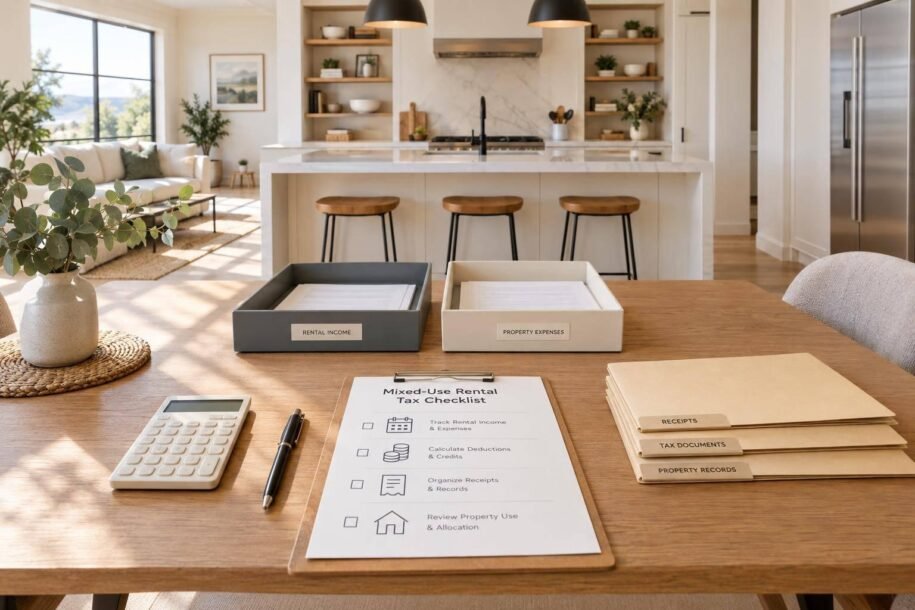
I start mixed-use rental tax prep with one record: a calendar of guest stays and personal use. Personal use above the greater of 14 days or 10% of fair-rental days generally means the property counts as a home for federal rental-tax purposes.
From there, I work through five steps:
- Log property use: Separate guest stays, owner stays, maintenance days, and vacant dates.
- Reconcile income: Match booking charges, refunds, fees, and payouts to bank deposits.
- Sort expenses: Separate rental costs, shared costs, personal spending, and assets.
- Check lodging taxes: Confirm what platforms remit and what I still need to file or pay.
- Prepare the year-end file: Gather records by property, resolve missing items, and schedule a tax review or consider professional property management to streamline operations.
My rule: <u>keep records monthly</u>, not just at tax time. This checklist helps me prepare the paperwork; a tax professional reviews how the rules apply.
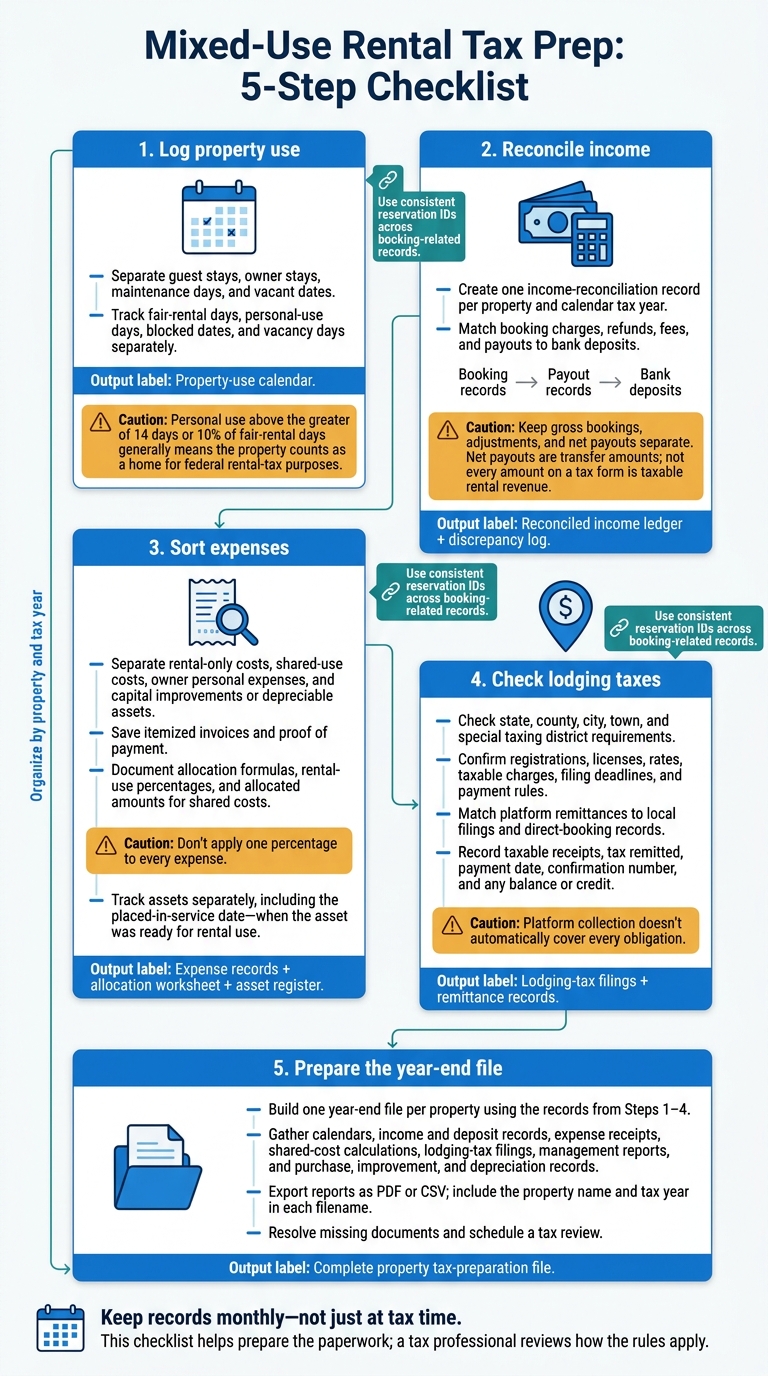
Mixed-Use Rental Tax Prep: 5-Step Checklist
The 14-Day Rule: What the IRS Says about Personal Use Days
sbb-itb-103bddb
2. Reconcile Rental Income
Once the stay calendar is complete, match each booking to its gross income and payout records.
Create one income-reconciliation record per property and calendar tax year. Include the reservation ID, booking date, channel, gross charges, cleaning fees, and extra fees. Track adjustments and payouts separately: discounts, refunds, cancellations, lodging taxes collected, platform fees, management fees, payout date, payout amount, bank account, and reconciliation status.[6]
Treat gross bookings as income; net payouts are transfer amounts. Form 1099-K generally reports gross payments before adjustments. Platform reports and bank deposits may differ because of fees, refunds, reserves, chargebacks, tax remittances, and payout timing. Keep these components separate. Don’t assume every amount on a tax form is taxable rental revenue.[4][5]
Gather Platform Statements and Booking Receipts
Download Airbnb and Vrbo earnings statements, booking receipts, payout and fee reports, refund and cancellation records, and tax forms when issued. Also collect direct-booking receipts and payment-processor reports. You must report income even if you don’t receive a tax form.[1][6]
Choose one primary record set for each booking channel, then match supporting records by reservation ID. If a professional vacation rental management company provides owner statements, reconcile them with available platform records. An owner distribution of booking revenue you’ve already recorded is not new income.
Match Income Records to Bank Deposits
Save original CSV exports and PDF statements in folders organized by property and tax year. Match gross charges, refunds, fees, lodging taxes, and adjustments to each payout. Then match payouts to bank deposits using payout references, dates, and amounts. One deposit may cover multiple bookings.
Keep a discrepancy log that includes the date, property, reservation or payout ID, reports compared, amount, cause, action, and resolution.[4][6]
Use the same reservation IDs when organizing expense receipts and shared costs.
3. Organize Receipts and Shared Expenses
Once you’ve matched income, track the expenses and shared costs behind each deduction.
Sort receipts into mortgage interest, property taxes, insurance, utilities, repairs and maintenance, cleaning and laundry, supplies, furnishings, commissions and platform fees, advertising, professional services, and depreciable assets. Keep itemized invoices and proof of payment, along with the vendor, payment date, property address, and a brief note explaining the business purpose.[10] File records by property and tax year, and add reservation IDs to booking-related costs.
Sort Costs by Use and Tax Treatment
Label each cost by use, then by tax treatment. Separate mortgage interest from principal, and keep consumable supplies apart from durable furniture and equipment.[3]
| Expense type | Records required | Tax treatment | Allocation approach |
|---|---|---|---|
| Rental-only expenses | Itemized invoice, proof of payment, reservation ID, business-purpose note | May be currently deductible if allowed | Usually assign the full amount to the rental activity |
| Shared-use expenses | Invoice, use dates, day-count worksheet, allocation formula | Rental portion may be deductible; personal-use amounts may be limited | Use a reasonable allocation method, often rental days divided by total days used |
| Owner personal expenses | Receipt, personal-use note | Generally not rental expenses | Exclude from rental expenses unless a tax adviser identifies another treatment |
| Capital improvements or depreciable assets | Purchase invoice, closing statement, financing records, improvement description, placed-in-service date | May require capitalization and depreciation | Track separately for depreciation review |
Treat repairs as operating costs and improvements as capital items.[8][9]
Document Cost Allocations and Asset Purchases
Track fair-rental days, personal-use days, blocked dates, and vacancy days separately. For each shared expense, save the invoice amount, allocation formula, rental-use percentage, and allocated amount. Don’t apply one percentage to every expense. Rules differ by expense, and personal use can limit rental deductions. Have your tax professional review your method.[1][3]
Save purchase and closing documents, improvement invoices, and an asset register. The register should show the purchase date, delivery and installation costs, rental-use percentage, and placed-in-service date – when the asset was ready for rental use. The purchase date alone doesn’t establish when depreciation begins.[7] Keep these expense records aligned with the lodging-tax reports covered in the next step.
4. Reconcile State and Local Lodging Taxes
Check lodging-tax rules for every jurisdiction where the property sits: state, county, city, town, and any special taxing district. Confirm registrations, licenses, rates, taxable charges, filing deadlines, and payment rules with each authority. Lodging-tax rules differ from federal income-tax rules.
Use the same reservation IDs across your stay log and income records to match taxable nights, fees, and exemptions to each local filing.
Gather Lodging-Tax Records
Save registrations, licenses, returns, confirmations, payment receipts, guest tax collection records, and platform remittance reports. Keep direct-booking invoices, exemption documents, notices, and agency correspondence, too. Organize everything by jurisdiction and reporting period.
For each return, record taxable receipts, tax remitted, payment date, confirmation number, and any balance or credit. Attach exemption documents to the matching reservation, and check exactly which taxes each exemption covers.
Verify Platform Collections and Owner Obligations
Match Airbnb and VRBO tax summaries against local filings and direct-booking records. List which taxes each platform collects and remits, then note any registration, filing, or payment duties the owner still needs to handle. Platform collection doesn’t automatically cover every obligation.
Log differences caused by refunds, taxable fees, and bookings that span reporting periods. Assign each unresolved amount to the responsible owner or manager.
5. Prepare the Year-End Tax File
Build one year-end file per property using the reconciled calendars, income records, expense logs, and lodging-tax filings from Steps 1–4.
Create a folder for each property. Include stay logs, owner-blocked dates, platform statements, reconciled income and deposit records, expense receipts, shared-cost calculations, lodging-tax records, and year-end management reports. Add purchase, improvement, and depreciation records, too.[11][12]
Use the year-end reports to check for gaps before tax prep.
Export Year-End Reports and Fill Missing Records
Export occupancy, revenue, expense, owner-use, maintenance, and owner-statement reports as PDF or CSV files. Include the property name and tax year in each filename. If you use Rank One Stays, export booking, revenue, and maintenance reports from the owner portal.
Compare those exports with your stay log, income ledger, and lodging-tax filings. Reconcile year-end report totals to fees, refunds, taxes, payouts, and deposits. Check cancellations, damage claims, chargebacks, and reservations that crossed December 31.
Record each missing document by date, amount, and source, then request a replacement.
Schedule a Tax Review and Monthly Record Checks
Ask a tax professional to review use classifications, expense allocations, depreciation, limits on deductible losses, and local filings. Flag any property that may be treated as a home or subject to personal-use limits.[1][2]
Set a monthly reminder to save receipts, reconcile statements, and update use logs. Confirm record retention periods with your tax professional. Keep basis, improvement, and depreciation records through future depreciation and sale calculations.[12]
FAQs
Do family stays count as personal-use days?
Yes, family stays generally count as personal-use days. When you block your property for yourself, family, or friends, those nights don’t count toward your available nights. Instead, they’re recorded as owner-blocked nights, not revenue-generating nights [1].
Rank One Stays offers professional management to help you make the most of available nights and simplify tracking [1].
How do I report bookings that span two tax years?
Split gross rental income between tax years based on the nights the guest stayed. Report income for nights before January 1 in the earlier year, and income for nights on or after January 1 in the following year. Check your platform statements against your stay logs to make sure they match.
Rank One Stays offers property management services to help maximize your rental revenue and keep your financial records organized.
What if my rental expenses exceed my income?
If your rental expenses exceed your rental income, you have a loss for the tax year. Keep receipts and management software reports to document all business-related expenses. Ask a tax professional how to report the loss, since IRS passive activity loss rules may apply.
To help prevent shortfalls, Rank One Stays uses dynamic pricing and listing optimization to maximize your rental revenue.